
Get API credentials
Every Carriyo API request needs four pieces of identity: your tenant ID, API key, merchant ID, and an OAuth client ID + client secret. This page is how you find them all.
You must be logged in to the Carriyo Dashboard as an Admin to complete these steps.
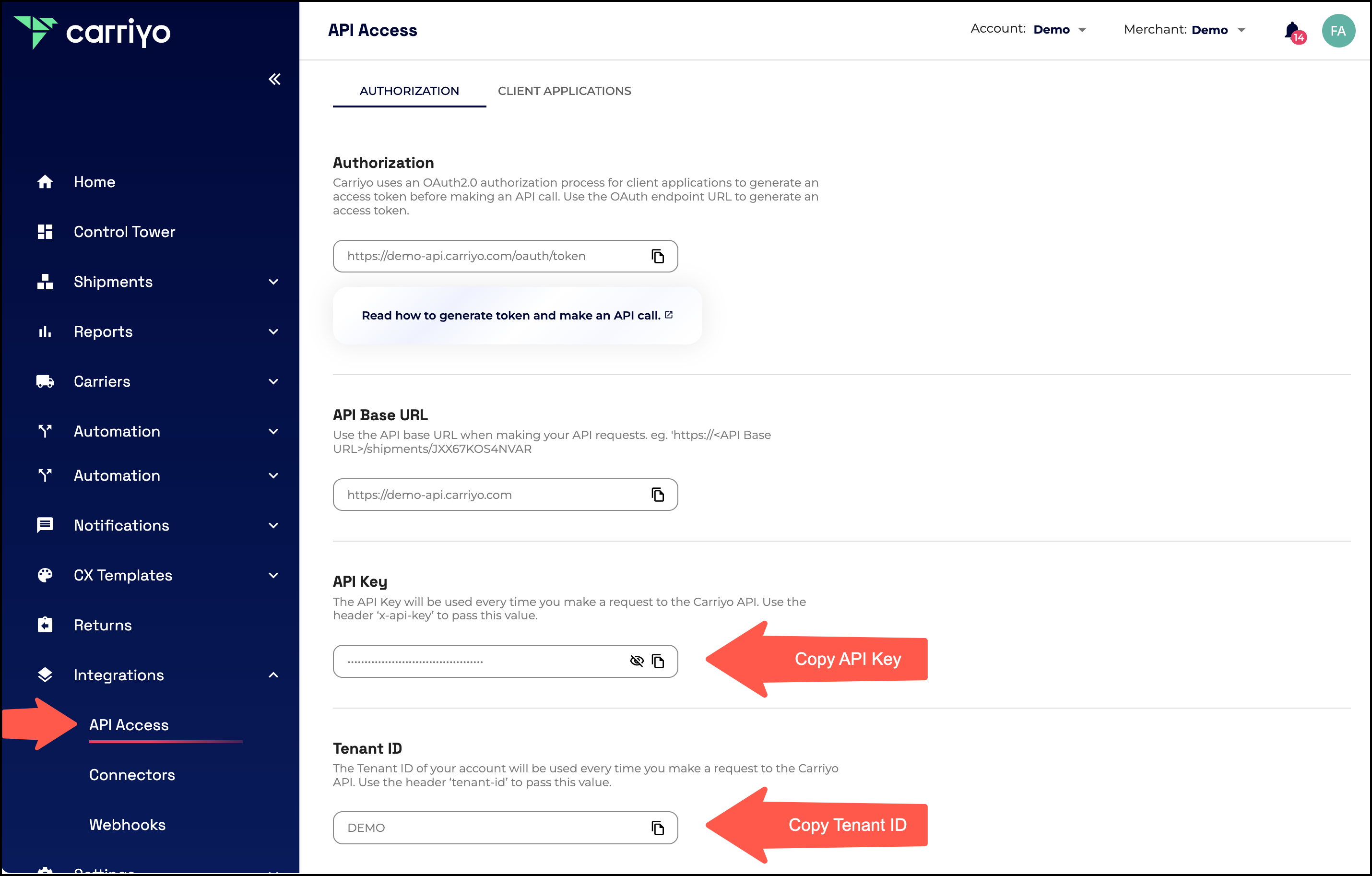
Step 1, copy your tenant ID and API key
Go to the API section of the Carriyo Dashboard and copy your Tenant ID and API Key. These identify your tenant and authenticate API requests.
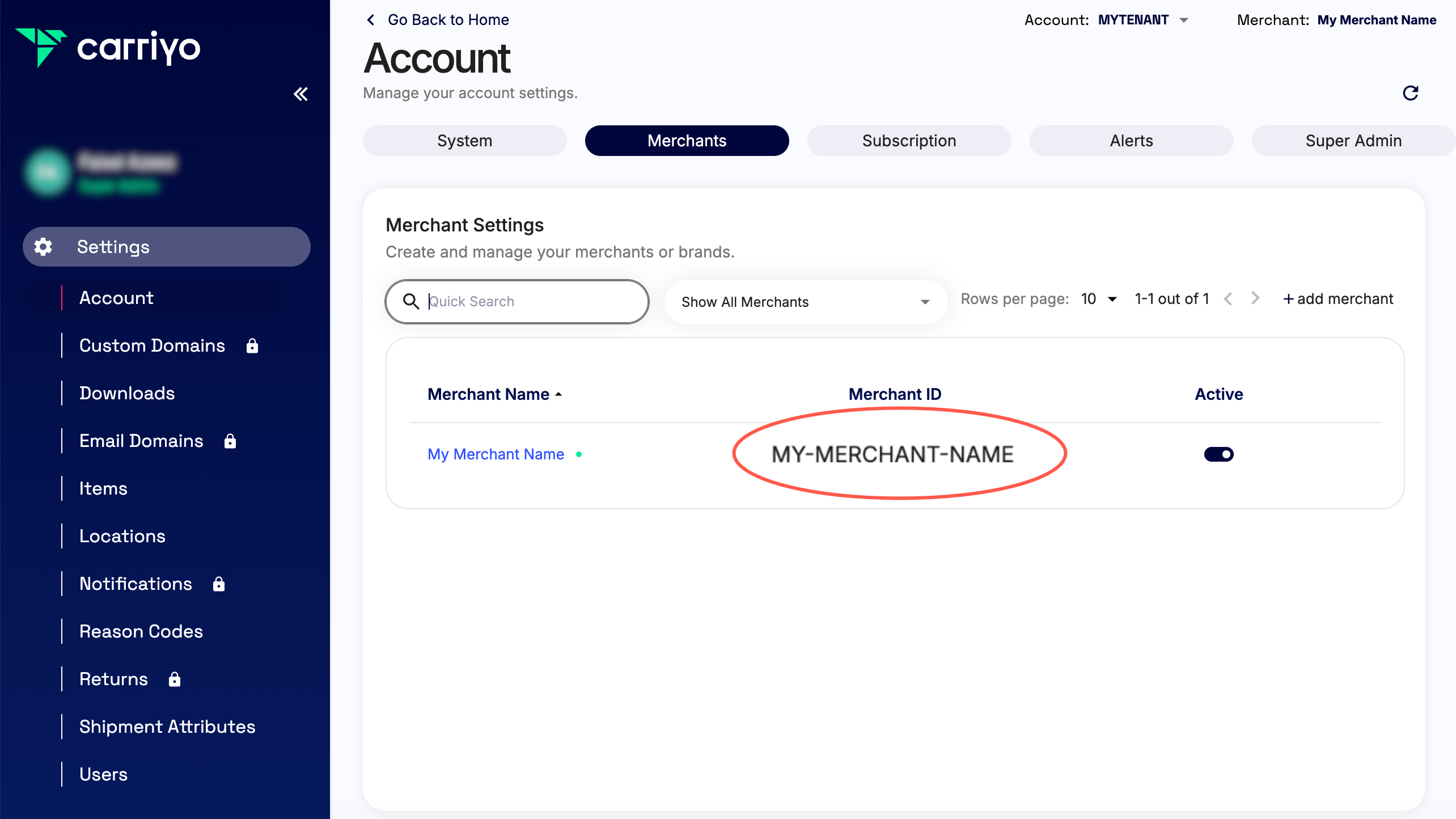
Step 2, copy the merchant ID
Copy the Merchant ID, which uniquely identifies the merchant associated with your account. Most API requests are scoped to a specific merchant.
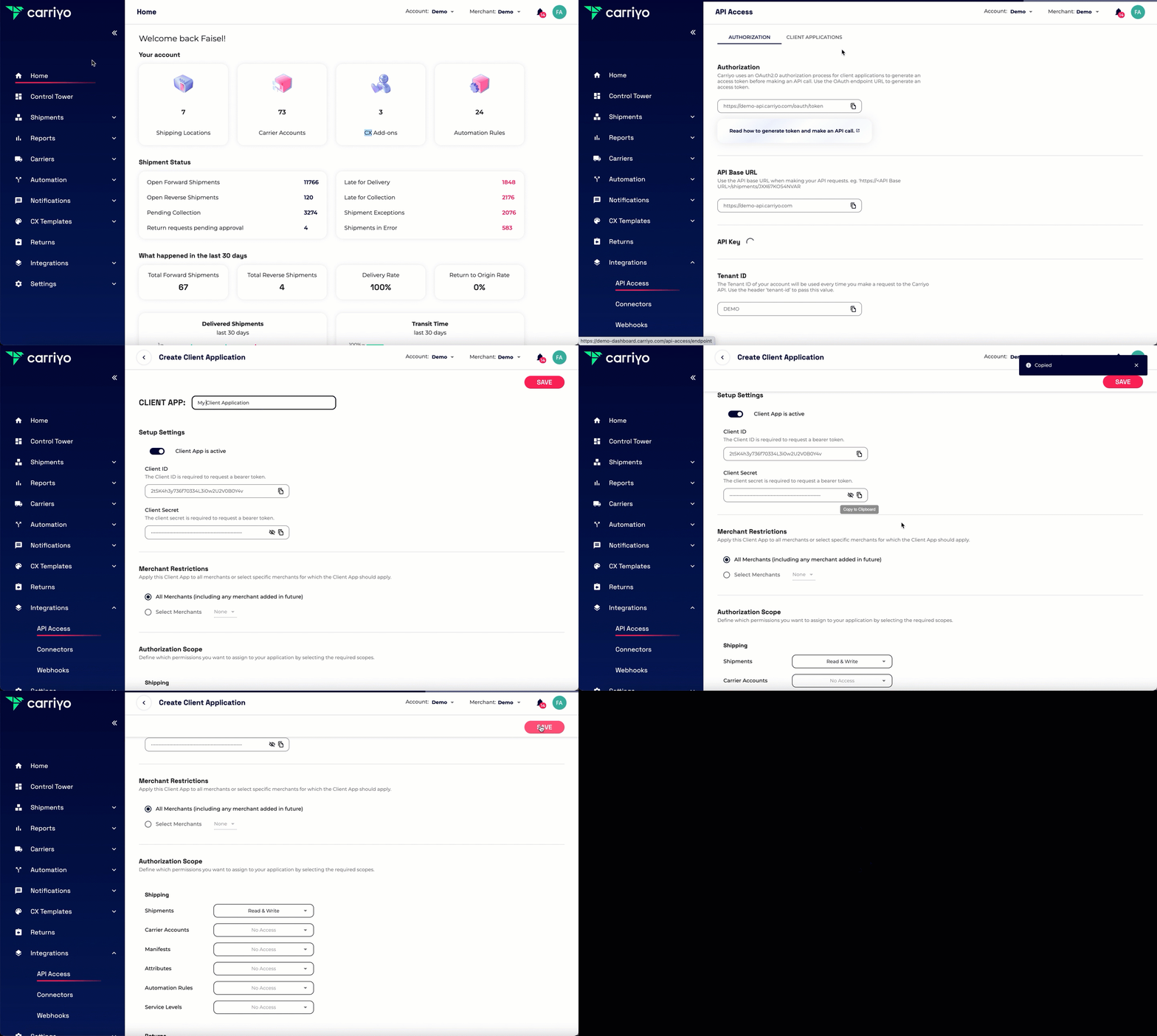
Step 3, create a client application
Create a new client application within the Dashboard to generate your client ID and client secret. Use them in the OAuth 2.0 client-credentials flow to obtain a short-lived access token for each API session.
Treat your client secret like a password. Store it in a secret manager, never commit it to source control.
Next
You now have everything you need to Make your first API call.